TechSuite
Automate computer repairs. Deliver polished reports.
TechSuite saves technicians hours on every job by automating the repair process and generating professional, branded reports your clients will trust.
14-day free trial. No credit card required.
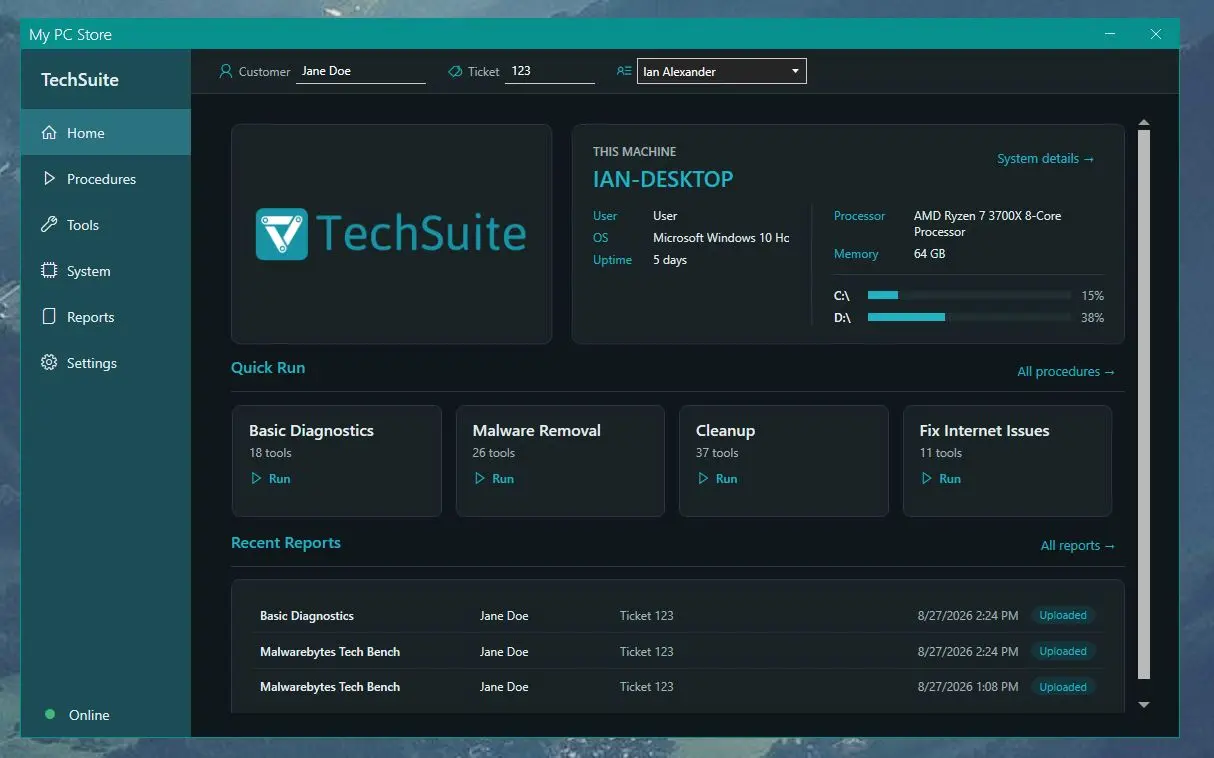
Built for your IT business
One app on the bench, one dashboard for the shop
TechSuite Windows App
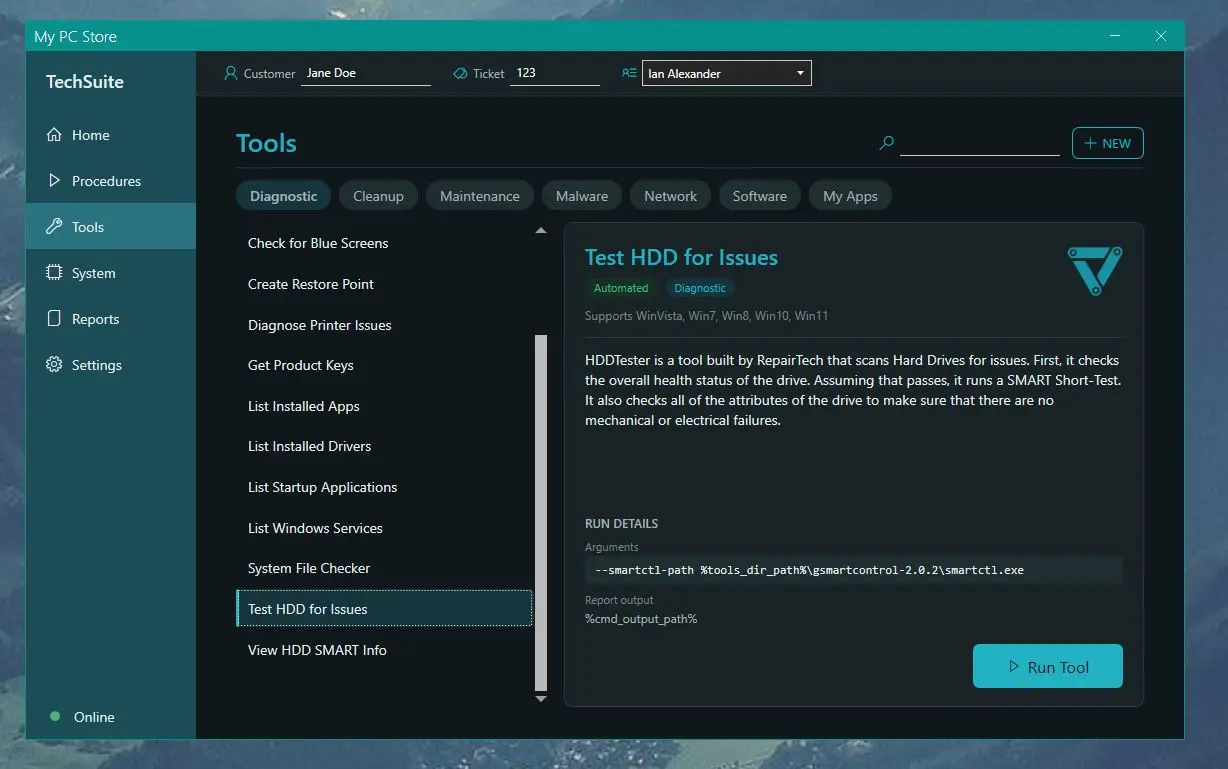
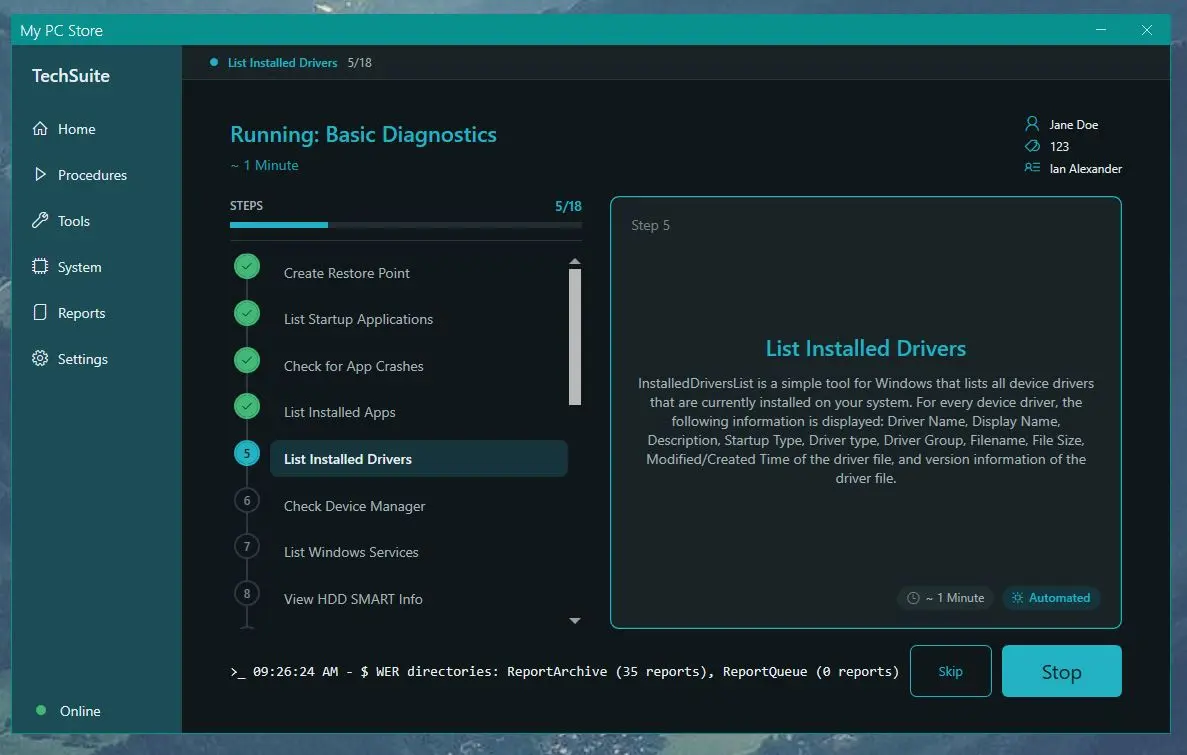
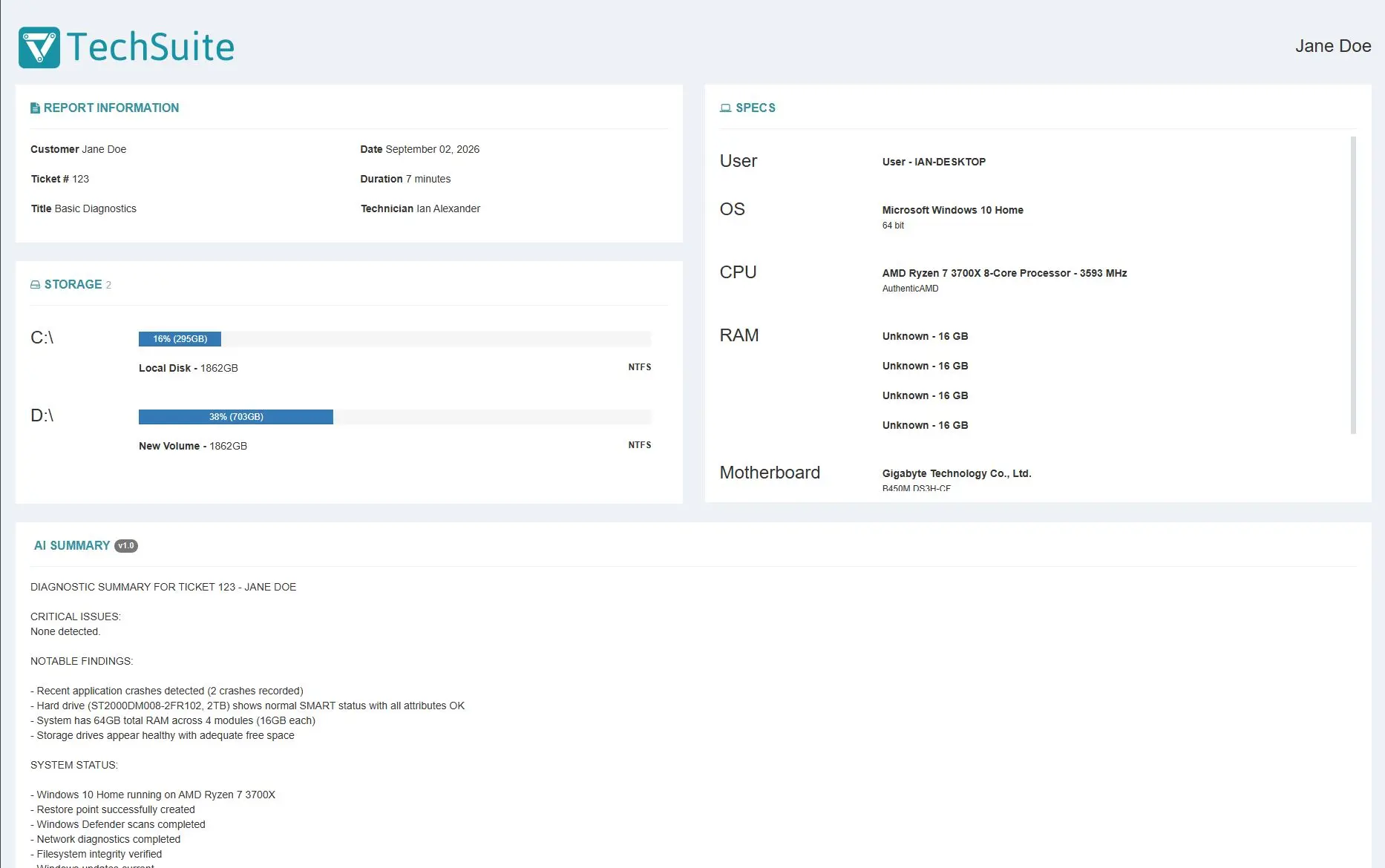
Run about 150 repair tools with a single click. TechSuite automates malware removal, hardware diagnostics, system tune-ups, and more. You can even add your own custom applications or scripts, so your favorite tools are always part of the workflow. Select what you need, let the app do the work, and get a full report when it's done.
TechSuite Online Dashboard
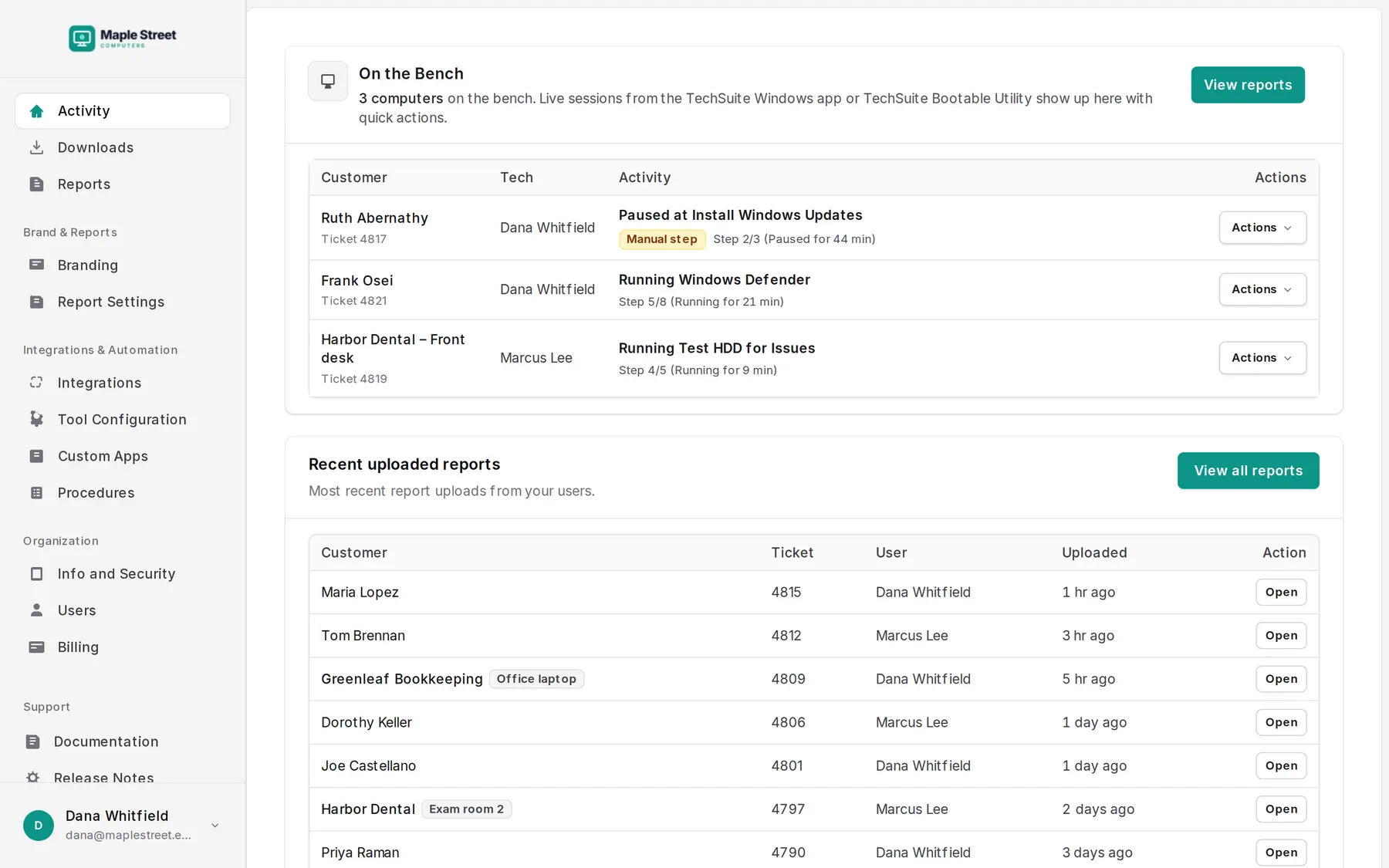
Manage your repairs from anywhere. Configure your Windows App, track jobs in progress, and securely access reports for your records or to share with clients.
TechSuite Console Mode
Run TechSuite from the command line, a script or your RMM, and the results upload straight to your dashboard. Handy for MSPs who want repairs running without anyone at the keyboard.
Features
Everything the bench needs, one click away
- 1-Click Repairs
- TechSuite is incredibly easy to use for technicians of all skill levels.
- Malware Removal
- Unique and powerful malware automation will run the best tools in the business, saving you time and making you money.
- Your Branding
- You can customize TechSuite with your own graphics and generate polished, branded reports for your clients.
- Status Updates
- TechSuite's On the Bench keeps you up to date by showing the repair status of every machine.
- Best Tools in the Industry
- About 150 tools for malware removal, diagnostics, cleanup and tune-ups, kept up to date for you.
- Integrates with your PSA
- Reports land on the ticket in Syncro, RepairShopr, CommitCRM or PC Repair Tracker. Run it from your RMM with Console Mode.
- Hardware Diagnostics
- TechSuite can easily help you automate the most common hardware diagnostics.
- Avoid Tedious Repairs
- TechSuite has built-in lists (aka procedures) that help you streamline the most common repairs: malware removal, tune-ups, hardware checks, and more.
- Custom Applications
- Add your own repair tools and scripts to TechSuite. Build a personalized toolkit that runs side-by-side with our built-in apps and appears in your reports.
Screenshots
Select, run, report
“TechSuite has allowed me to clean up even the nastiest malware. In house, we've dubbed it 'The Magic Stick' because it just works — like magic.”

“Our absolute favorite and most used tool is TechSuite. The ability to automate and document a great many of the repair services we offer has increased our workload ability almost 200 percent.”

Pricing
Unlimited repairs, priced per technician
Every plan includes unlimited TechSuite usage. Plus and Pro add integrations and custom branding.
Basic
For the one-tech shop.
$25 /month
Start free trial- Unlimited TechSuite usage
- 1 tech license ($20/mo per additional tech)
- Online Dashboard and report storage
- Not included: Integrations
- Not included: Custom branding
Plus
Most popular
For a small team on the bench.
$49 /month
Start free trial- Unlimited TechSuite usage
- Up to 3 tech licenses ($20/mo per additional tech)
- Integrations
- Custom branding
Pro
For busy shops and MSP teams.
$179 /month
Start free trial- Unlimited TechSuite usage
- Up to 10 tech licenses ($20/mo per additional tech)
- Integrations
- Custom branding
14-day free trial. No credit card required. Cancel anytime.
Prefer to pay yearly? Basic is $270, Plus $529 and Pro $1,933 a year, about 10% off. Choose yearly billing in your Online Dashboard.
Frequently asked questions
Can I legally use the tools included in TechSuite in my repair shop?
Yes. We have ensured that every default tool included in TechSuite is legal to use in a commercial environment. You can add your own custom tools as well, but you are responsible for their licenses.
What kinds of tools are included in TechSuite?
TechSuite includes a combination of tools that we built ourselves, open-source tools, and tools from vendors we partnered with. These tools cover malware removal, diagnostics, cleanup, tune-ups, updates, data migrations, and more. Browse the full tool catalog.
How many repairs can I run at once?
As many as you want! Each licensed technician has unlimited access to the software.
How much time will TechSuite save me?
It depends on the job, but the hands-on time is what shrinks. Pick a procedure, click Run, and TechSuite works through the tools and writes the report while you move on to the next machine.
Can I get a free trial?
You bet! TechSuite comes with a 14-day free trial. No credit card required.
What happens when my trial ends?
Nothing is charged unless you add a card. Adding a card ends your trial and starts the plan you picked when you signed up, so add it when you’re ready to keep going. You can change plans from your Online Dashboard, and cancel any time.
How do you support non-profits?
RepairTech loves to support those in the repair industry who are making an effort to do good. We offer a TechSuite for Nonprofits program to help. To be considered, please email support@repairtechsolutions.com with all of the following information:
- Title your request: “Application for TechSuite for Nonprofits Program”
- Your TechSuite Dashboard link (e.g. https://repairtechsolutions.com/users/###)
- The registered or legal name of your organization
- Your organization’s website URL
- A brief description (1–5 sentences) of your organization’s mission. What good things are you doing in the world?
- Nonprofit or charity status certification. This is most likely a letter from the IRS showing your 501(c)(3) tax-exempt status, or your local equivalent. Please include a scanned copy of this document.
You will also need to acknowledge and agree to the following statement: By submitting this application, I certify that my organization is non-governmental, non-academic, non-commercial, and non-political; does not discriminate on the basis of gender, race, ethnicity, national origin, religion, political affiliation or beliefs, sexual orientation, or gender identity or expression; and does not promote a particular religious affiliation, dogma, or doctrine as part of its mission or in exchange for its services.
We will review your application to be sure you meet our program eligibility requirements, and we’ll be in touch as quickly as we can.
How do you support educational institutions?
We offer a TechSuite for Education program to qualifying institutions, with a 50% discount on any of our annual plans. To be considered, please email support@repairtechsolutions.com with all of the following information:
- Title your request: “Application for TechSuite for Educational Program”
- Your TechSuite account link (a link to your dashboard, e.g. https://repairtechsolutions.com/users/###)
- The registered or legal name of your institution, including department if applicable
- Your institution’s website URL
- Documentation supporting your not-for-profit and/or accredited education status. This is most likely a letter from your institution’s central administrator. Please include a scanned copy of this documentation.
You will also need to acknowledge and agree to the following statement: By submitting this application, I certify that my organization is a not-for-profit and/or accredited educational institution or a student group associated with the institution; does not discriminate on the basis of gender, race, ethnicity, national origin, religion, political affiliation or beliefs, sexual orientation, or gender identity or expression; and does not promote a particular religious affiliation, dogma, or doctrine as part of its mission or in exchange for its services.
We will review your application to be sure you meet our program eligibility requirements, and we’ll be in touch as quickly as we can.
Are you HIPAA or PCI compliant?
We do not store any credit card information on our servers. Instead, we use Stripe for all payments. Stripe has been audited by a PCI-certified auditor and is certified to PCI Service Provider Level 1, the most stringent level of certification available in the payments industry. RepairTech takes security very seriously but is not compliant with the HIPAA standards for privacy. For this reason, we don’t advise storing any medical records of any kind on your Online Dashboard.
New from RepairTech
Fixed it? Stay on the computer.
Install Lantern before the machine leaves your bench. It keeps watch at home and puts your shop one click away when the next problem starts.
Put your next malware job on autopilot.
Get a 14-day free trial. No credit card required.