· Integrations · Release Notes
Release Notes – Expanded Webhook Events for Reports & Procedures
🔔 New Webhook Event Types
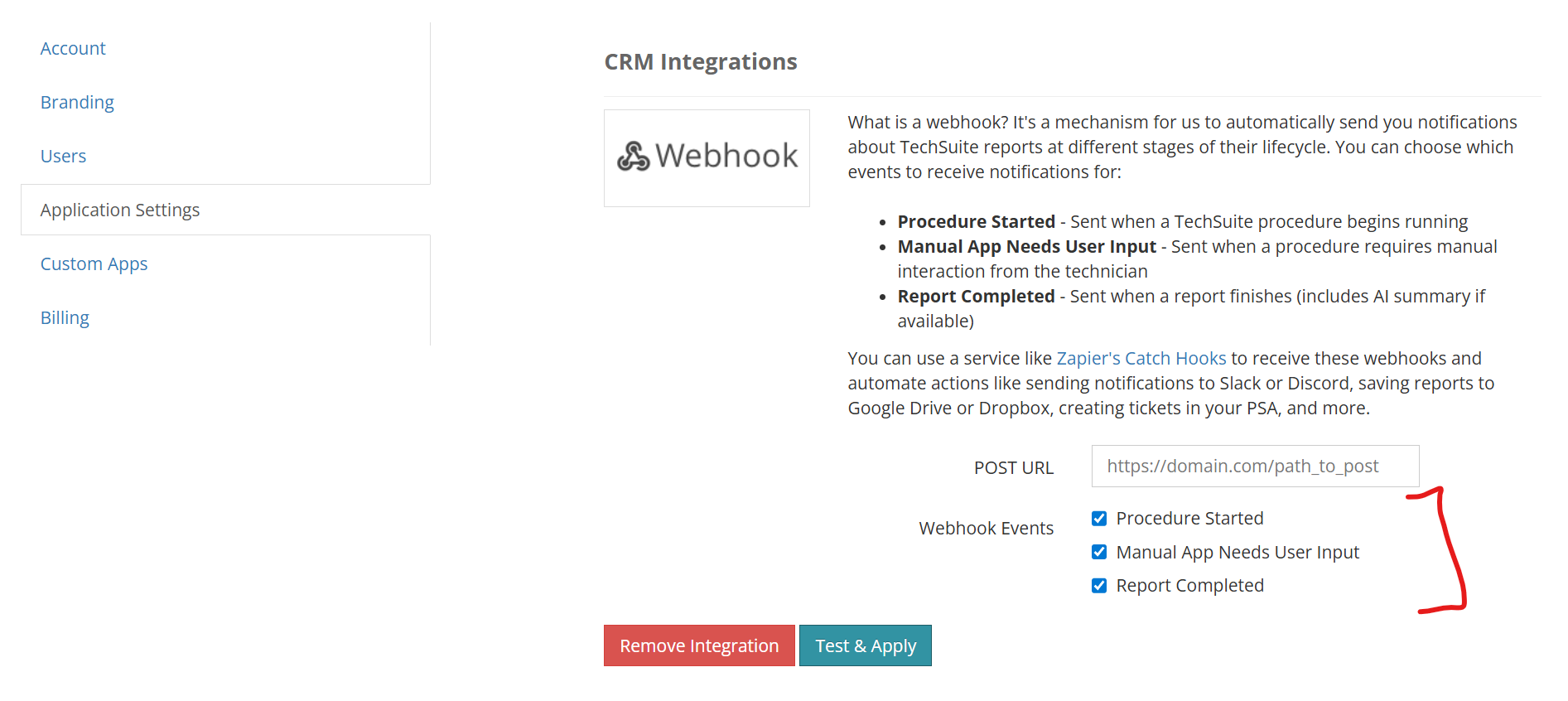
Webhook events can now be enabled individually, depending on what you want to track.
Procedure Started
Sent immediately when a TechSuite procedure begins running.
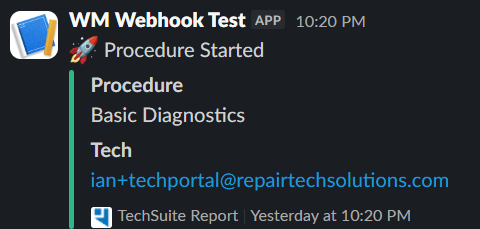
Includes:
Customer name, ticket number, procedure name, technician email
Common uses:
Track when diagnostics or maintenance begin
Monitor active work in real time
Trigger workflows as soon as a procedure starts
Manual App Needs User Input
Sent when a procedure requires manual interaction from a technician.
Includes:
Current status, active task, customer, ticket, technician information
Common uses:
Alert teams when a procedure is waiting on input
Identify stalled work
Improve response times when manual steps are required
Report Completed (Enhanced)
Sent when a Report finishes running.
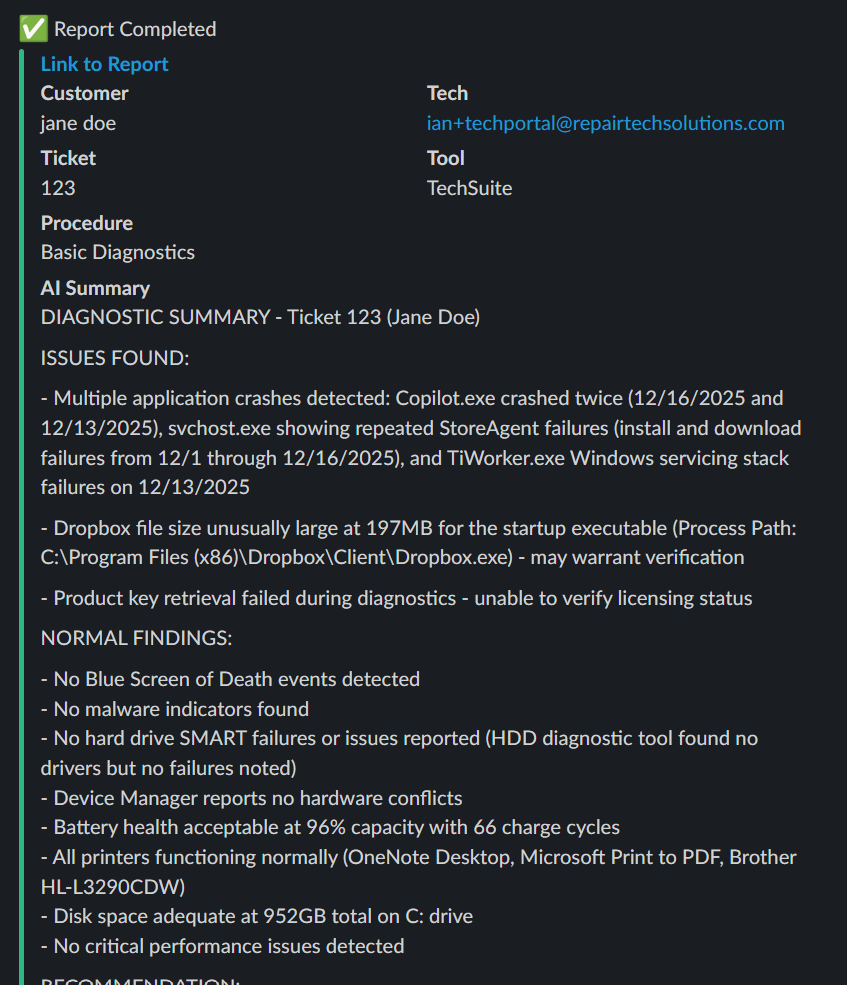
Includes:
Customer, technician, ticket, tool, procedure name, link to the full Report, and an AI-generated summary when available.
What’s improved:
Events now wait for AI summary generation before sending
Payloads are richer and more useful for automation and reporting
⚙️ Key Improvements
Alongside the new event types, we made several improvements to the webhook system:
Select which event types you want to receive
Get notified at procedure start, not just completion
Trigger automations at multiple stages of a job
Automatic formatting for Slack, Discord, and Microsoft Teams
AI summaries included in completed Report events (when enabled)
Improved handling of webhook delivery errors
🔗 Better Automation, End to End
These changes make webhooks far more useful for real-world workflows. Instead of only knowing when a job is finished, you can now track when work starts, when it’s blocked, and when it’s fully complete.
If you’re already using webhooks, we recommend reviewing your settings and enabling the new events that make sense for your workflow.
As always, if you have questions or ideas for additional events, email us at support@repairtechsolutions.com.
Ian & Garrett